
TeachWise Ai review: an AI app that builds your course website — what’s actually inside
Last updated: November 8, 2026 · Sold by Bizomart on WarriorPlus · 1,000+ sales recorded on the platform
Review basis, stated plainly: this review is written from the vendor’s own sales page and the WarriorPlus listing, checked in November 2026. We have not been paid to write it, and where something is a vendor claim rather than a checkable fact, we label it as a claim. Affiliate disclosure: the buttons on this page are affiliate links — if you buy through them, we may earn a commission at no extra cost to you.
The short answer
TeachWise Ai does one job — it stands up a branded e-learning website for you, with courses, a members’ area and payment links built in — and it does it for a one-time entry price of about $17 instead of a monthly platform fee. That is a genuinely useful shortcut for a beginner. It does not create your reputation, your students, or your income, and its sales page promises more on traffic and speed than any tool can honestly guarantee. Buy it, if you buy it, as a website builder with a big starter library — not as a business in a box.
What TeachWise Ai actually is
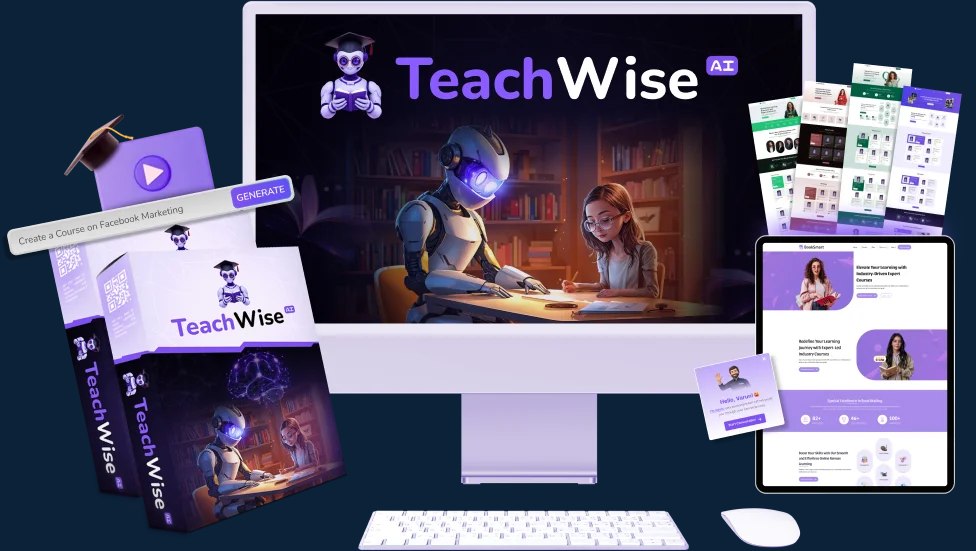
TeachWise Ai is a cloud-based app from Bizomart, the software label of creator Pranshu Gupta, sold through the WarriorPlus marketplace. Its job is narrow and clear: it builds you a branded e-learning website — the kind of site where students can browse courses, sign up, pay, and learn inside a members’ area — and it uses AI to do most of the construction work for you.
That matters because the usual route is slower and more expensive. A conventional course platform charges you every month, forever, and you still start from an empty dashboard and build everything yourself. TeachWise Ai flips the order around: the site, the structure, and a large library of ready-made course material are generated first, and your job becomes shaping, checking and improving what it hands you. On WarriorPlus the offer has recorded more than 1,000 sales, which at least confirms it is a real, delivered product with a vendor support desk behind it — not a glossy page selling something that does not exist.
What it is not is a robot teacher that replaces you. The app can draft courses, pages, quizzes and emails, but it cannot know your subject the way you do, and it cannot make students trust you. Keep that split in mind — the software builds the school; you are still the teacher — and the rest of this review will make a lot more sense.
Who TeachWise Ai is for — and who should skip it
This tool makes the most sense for a fairly specific reader. If you are a coach, trainer, teacher or consultant with lessons stuck in documents, slide decks or unedited recordings, TeachWise Ai gives that material a home without a web-design project first. It also suits first-time course creators who freeze at the technical setup — domains, hosting, page builders, checkout plumbing — because those pieces are bundled into the app. Small training businesses that would rather own their course site than rent space inside someone else’s marketplace will see the appeal too, and the low one-time entry price is honestly aimed at beginners watching their budget.
Just as honestly, some people should skip it. If you already run a course platform you are happy with, this adds nothing. If you need heavyweight LMS machinery — SCORM packages, deep integrations with other business software, corporate compliance reporting — nothing on the sales page suggests that kind of depth, and a dedicated enterprise platform is the safer buy. Skip it, too, if what you really want is passive income without work: a website full of courses nobody has heard of does not sell itself. And if you are not willing to read and edit AI-generated lessons before charging strangers for them, do your future students a favour and pass.
Key features, as the sales page describes them
Here is what the front-end offer says it includes. We have kept the vendor’s feature list, but written it in plain words:
- AI e-learning site builder. The app creates a branded course website from a template gallery, with your own logo and colours, and a members’ area where students access courses and track their progress.
- Course creation from a keyword. Give it a topic and the AI drafts a course around it — lessons organised into a structure you can then edit, expand or replace with your own material.
- 1,000+ ready-to-use courses, videos and articles. A starter library across popular niches, described by the vendor as self-updating, so a new site does not have to open its doors empty.
- A human-like AI tutor. A chatbot-style mentor inside the learning area that answers student questions around the clock — useful for common doubts, though no substitute for a real teacher’s judgement.
- Interactive learning tools. Gamified quizzes and assessments, plus automatic completion certificates for students who finish a course.
- Selling built in. Payment integrations including PayPal, Stripe, JVZoo and WarriorPlus, and for each course a landing page, a sales funnel and follow-up emails generated with it.
- Content for traffic. Done-for-you blog articles and built-in promotion tools intended to bring visitors to the site — see our claims section below before valuing this highly.
- The everyday running gear. A built-in support ticketing system for student queries, domain and hosting included, sites in multiple styles, niches and languages, step-by-step video tutorials, and vendor support.
How it works
The vendor boils the process down to three steps, and the shape of it is believable even if the stopwatch claims are not. First, you log in to the cloud dashboard — there is nothing to install. Second, you create: pick your niche, choose a template, add your branding, and either generate courses from keywords or load from the ready-made library, customising lessons as you go. Third, you connect a payment method and start selling from your own site, with each course getting its page and funnel. In practice, expect the honest version of that flow: an afternoon of choosing, editing and tidying, not sixty seconds — but still far less work than assembling the same thing from separate tools.
Reading the big claims honestly
TeachWise Ai’s sales page is written in classic launch language, and a fair review has to translate a few of its loudest lines. When it says a site is ready “in 60 seconds,” read that as the site’s shell being generated quickly — a finished academy that you would proudly charge for still needs your review, your pricing decisions and your name behind the content. When it advertises 1,000+ courses, remember those courses are a shared starter library, not material written uniquely for you; other buyers start from the same shelves, so the value you add — your examples, your voice, your support — is exactly what makes your version different, and you should check any pre-written lesson for quality and accuracy before selling it. The “built-in traffic generator” and lines about boosting learning outcomes “up to 10x” are marketing claims, not measurements anyone has shown us; treat traffic help as a small bonus and plan to bring your own audience through your content, social profiles and email list. None of this makes the tool bad. It makes it a tool — priced like one, and best bought like one.
What we like
- It removes the biggest beginner hurdle: the course website itself, complete with members’ area, is built for you.
- One-time entry price of $17.30 on WarriorPlus ($17 on the vendor page) instead of an endless monthly platform fee.
- A large ready-made course library means your site does not launch empty.
- Payments, landing pages, funnels and emails are bundled rather than bought piece by piece.
- Sold by an established WarriorPlus vendor, with 1,000+ sales on this offer and a 30-day money-back guarantee.
What to watch out for
- The funnel behind the $17 door is long — upgrades run to $297, and taking everything at top tier approaches $890.
- The 1,000+ preloaded courses are shared with other buyers, not unique to you, and their quality needs your own checking.
- Traffic and earnings language on the sales page is marketing, not a promise anyone can keep.
- AI-generated lessons are drafts. Publishing them unread is how buyers end up with unhappy students and refund requests.
- Front-end limits exist precisely so the Unlimited upgrade has something to sell you — go in expecting that conversation.
Price and value: the full funnel, in the open
Front end: TeachWise Ai — $17.30 on WarriorPlus (advertised as $17 on the vendor’s page), one-time, no monthly fee at this launch pricing. At checkout there is also a small optional order bump, a $9.97 Business upgrade with faster CDN hosting, landing-page and banner template packs and a commercial licence, offered to early buyers.
The optional upgrades behind it: Unlimited ($57) removes front-end limits; DFY ($97) has the vendor’s team set the site up for you; Traffic ($37 basic / $47 gold); Automation ($47); Profit Booster ($27); Agency ($67 for 100 client accounts / $97 unlimited); Reseller ($97 / $197); and Whitelabel ($297). Take literally everything at its top tier and the bill approaches $890 — a very different number from the one on the door.
Our honest reading: the front end alone is fairly priced for what it claims to do, and the only upgrade most beginners should even consider early is Unlimited, and only once the basic version has proven itself in your hands. Everything else is a “later, maybe” — the guarantee window is the time to test the core tool, not to collect the whole funnel.
Guarantee and support
TeachWise Ai is covered by a 30-day money-back guarantee, handled through WarriorPlus — buy it, try building a real site with it inside that window, and if it is not for you, that guarantee is your exit. Vendor support is offered around the clock according to the sales page, at support@bizomart.com, and step-by-step video tutorials are included, which matters for a product aimed at non-technical buyers.
Our verdict
TeachWise Ai is best understood as a shortcut past the part of course creation that stops most people: the technology. For about seventeen dollars, one time, you get a branded course website, a members’ area, payment plumbing, funnels and emails, and a large library of starter courses to open your doors with — from a vendor with real sales history on the platform and a 30-day guarantee behind the purchase. That is good value for a beginner who will actually use it.
It is not, and no $17 app can be, a finished business. The shared course library needs your editing and your expertise before it deserves a price tag, the traffic claims deserve a raised eyebrow, and the upgrade funnel deserves a firm “not yet” until the basic tool has earned it. Buy TeachWise Ai for the school it builds you. Bring the teaching, the checking and the students yourself — and on those terms, we are comfortable recommending a look.
Disclosure: the buttons below are affiliate links. If you buy through them, ToolHarbor (Review Harbor) may earn a commission at no extra cost to you. See our Affiliate Disclosure on the main site.
Get the free 21 Free AI Tools Checklist
Enjoying honest reviews? Join the ToolHarbor list and get our checklist of twenty-one AI tools that cost nothing to start with — for writing, images, video, research and everyday business tasks. We send the checklist and occasional tool reviews. No spam, no rented or bought lists, and you can unsubscribe in one click, any time.
Trouble seeing the form? Open the signup form here.